

Calculate the area of a parallelogram using side length and height
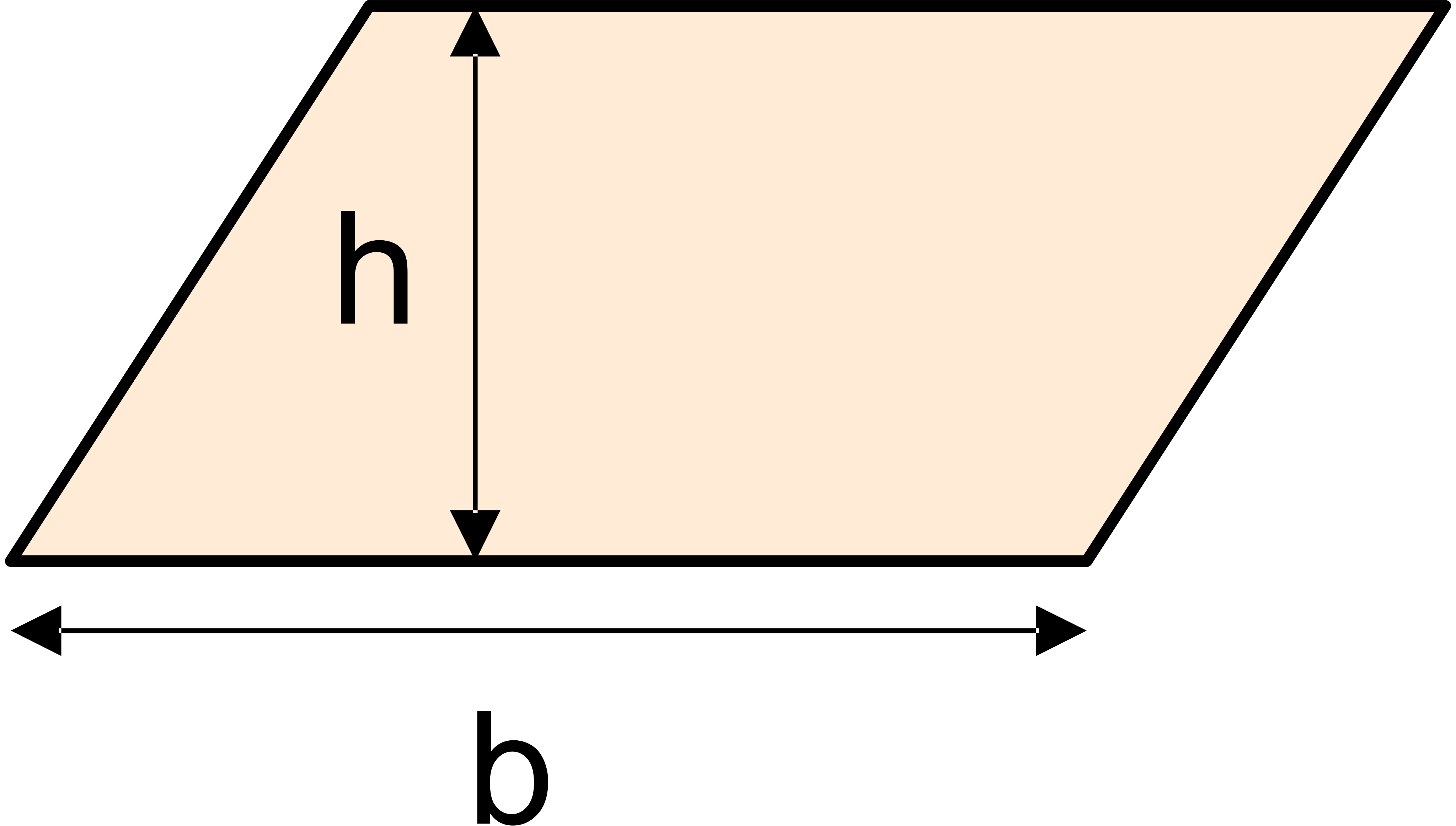
Base (b)
Height (h)
Keep decimals
Calculation result
This tool is a simple and easy-to-use online parallelogram area calculator. By simply entering the base length and the corresponding height of the parallelogram, you can quickly and accurately calculate its area. No need to memorize complex formulas, get results with one click. It is a handy assistant for students, teachers, engineers, and anyone who needs to perform geometric calculations.
The formula for calculating the area of a parallelogram is one of the most fundamental in geometry:
Area = Base × Height
That is: A = b × h
A represents the area of the parallelogram.
b represents the length of any base of the parallelogram.
h represents the height corresponding to that base. The height is defined as the perpendicular distance from the base to its opposite side.
Understanding the formula: Imagine cutting the parallelogram along its height and sliding the triangular piece to the opposite side, forming a rectangle. The length of this rectangle is the parallelogram's base (b), and its width is the parallelogram's height (h). Since the area of a rectangle is length × width, the area of the parallelogram is therefore base × height.
1. Q: Is it necessary to input the "height"? Can I calculate the area if I only know two sides and an included angle?
A: The current design of this tool is based on the most commonly used "base and height" method. If you know the lengths of two adjacent sides (a and b) and the angle between them (θ), the area formula is: A = a × b × sin(θ). We may launch an advanced version supporting this calculation mode in the future.
2. Q: Why must the "height" be the perpendicular distance to the corresponding base when calculating area?
A: This is core to the definition of area. Only the perpendicular distance accurately reflects the amount of two-dimensional space the shape occupies. Using the slant height would incorrectly result in a larger area.
3. Q: A rhombus is a special parallelogram. Can I use this tool to calculate its area?
A: Absolutely! A rhombus is a parallelogram with all sides equal. You can use this tool by entering the side length as the base and the corresponding height. Additionally, a rhombus has a specific area formula: Area = (Diagonal 1 × Diagonal 2) / 2.
4. Q: Can the number of decimal places in the result be adjusted?
A: Currently, the tool outputs a result with a standard precision by default. For simplicity, we provide a decimal places adjustment feature. If you need a specific precision, you can select the number of decimal places to retain, and the tool will automatically round the result.
5. Q: Does the tool support fractional or decimal inputs?
A: Yes. You can enter decimals like 2.5, 10.75, 0.33. If your data is a fraction (e.g., 3 1/2), it's recommended to convert it to a decimal (3.5) first before inputting.
6. Q: In what units are the output results presented?
A: The tool's calculation results are initially presented in square meters. You can select the appropriate unit from the output section, and the tool will automatically perform the unit conversion.


